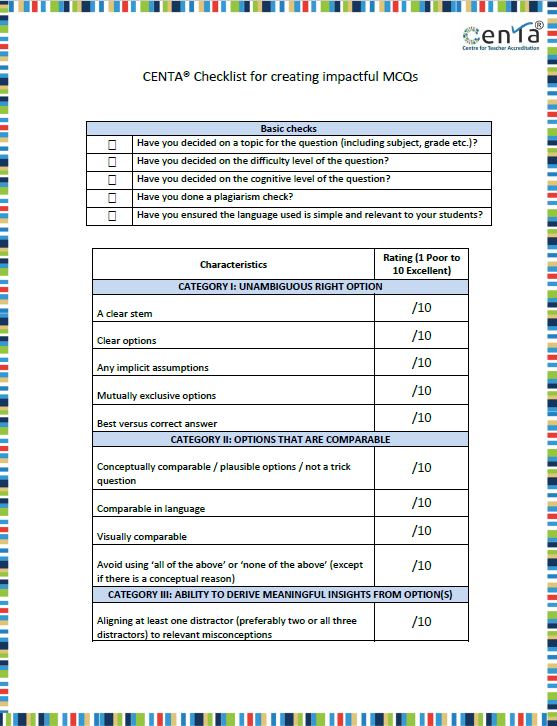
Presenting to you the CENTA®MCQ Creation Checklist. Use this and ensure that your MCQs are always effective!
YOUR TASKS
TASK 1- Download the checklist above
TASK 2: Check if the MCQs that you had created in the beginning and had been modifying throughout the course check off every box in this checklist.
TASK 3: Upload your questions in the assignment section provided below.
| *OPTIONAL Want to get your assignment reviewed by CENTA® for just Rs. 150/-? Please follow the below steps STEP 1: Ensure you have uploaded your completed assignment in the “Assignments” section below. STEP 2: Click on the payment link to pay – https://imjo.in/MmqKV7 STEP 3: Log in to this course within 10 working days to find detailed feedback for your assignment from CENTA. You will be notified about the same on your registered email id. |
Please note – You cannot delete an assignment once uploaded, but you will be able to make a maximum of 2 uploads. Ensure the final assignment is named – “assignmentname_FINAL”. We will consider that for the review.